
XTrade® – TrendX™ is a multi-timeframe trend confirmation indicator combined with an optional trade engine designed for:
✅ Swing Traders
✅ Intraday Traders
✅ Funded & Prop Traders
✅ Systematic crypto & forex traders
TrendX™ helps you trade in the direction of dominant trend, reduce emotional entries, and manage positions with structured Take Profit logic
Trade less, trade smarter, follow the real trend
TrendX™ is not a signal spam indicator. It focuses on:
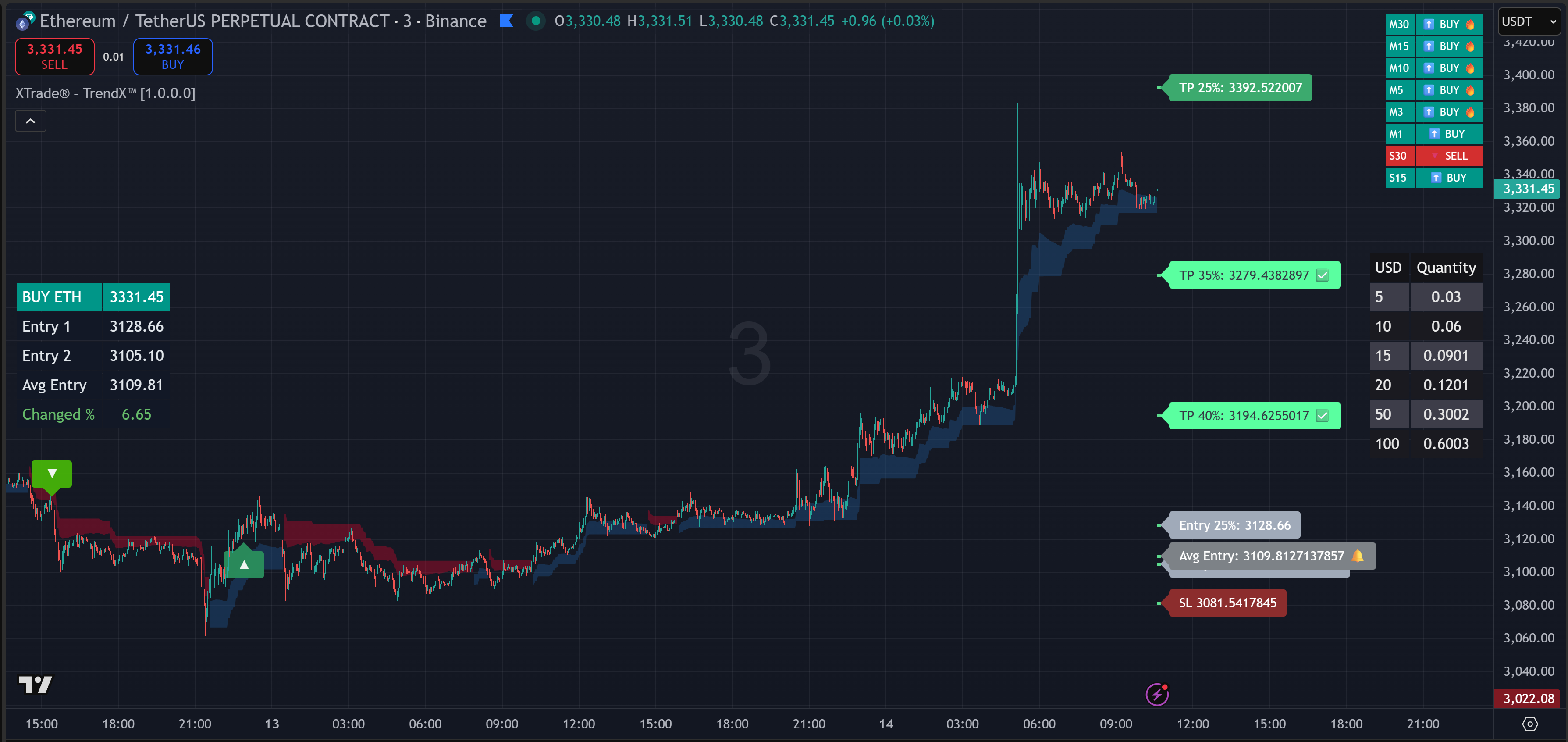
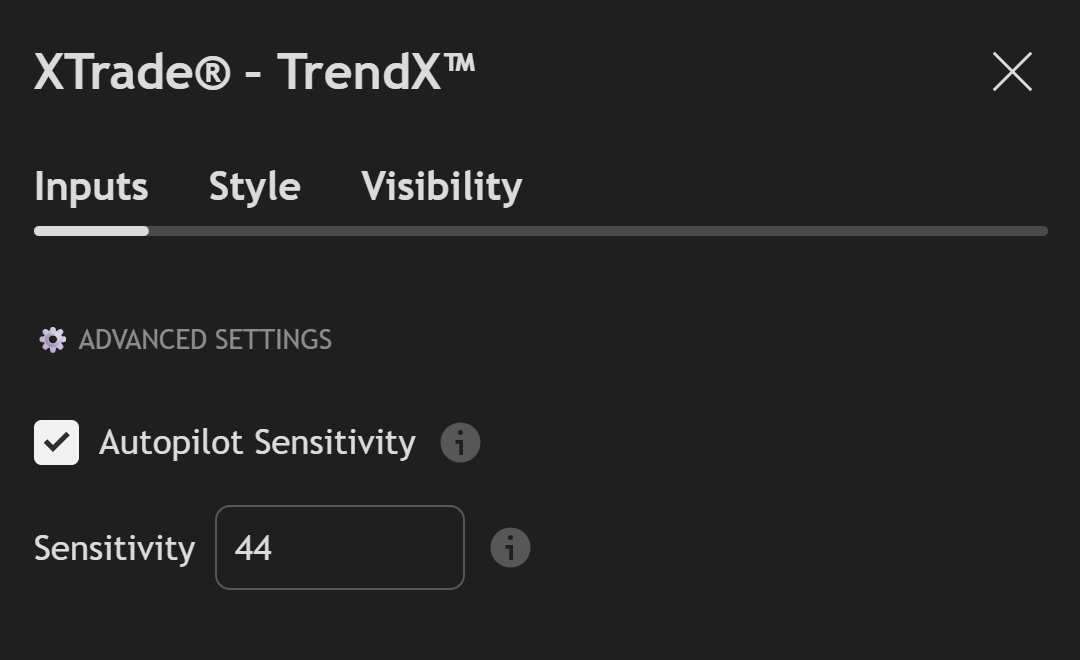
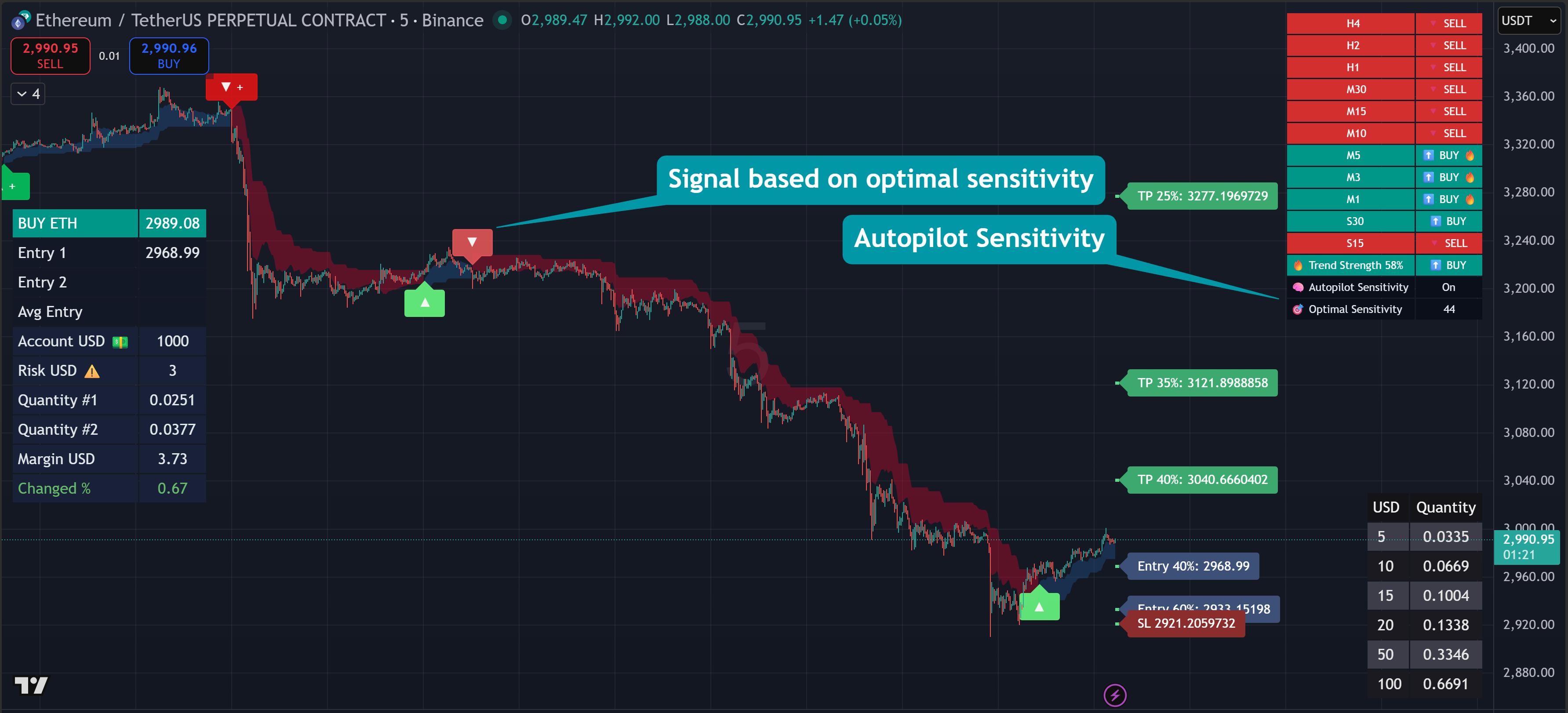
Autopilot Sensitivity is designed to discover the most optimal signals while minimizing market noise. This feature is the core engine of TrendX, continuously adapting sensitivity to maintain the best balance between accuracy and responsiveness
The system backtests the last 5,000 candles to determine the most suitable sensitivity value. Each sensitivity setting is evaluated based on historical buy/sell performance, and the one delivering the highest profitability and signal stability is selected automatically
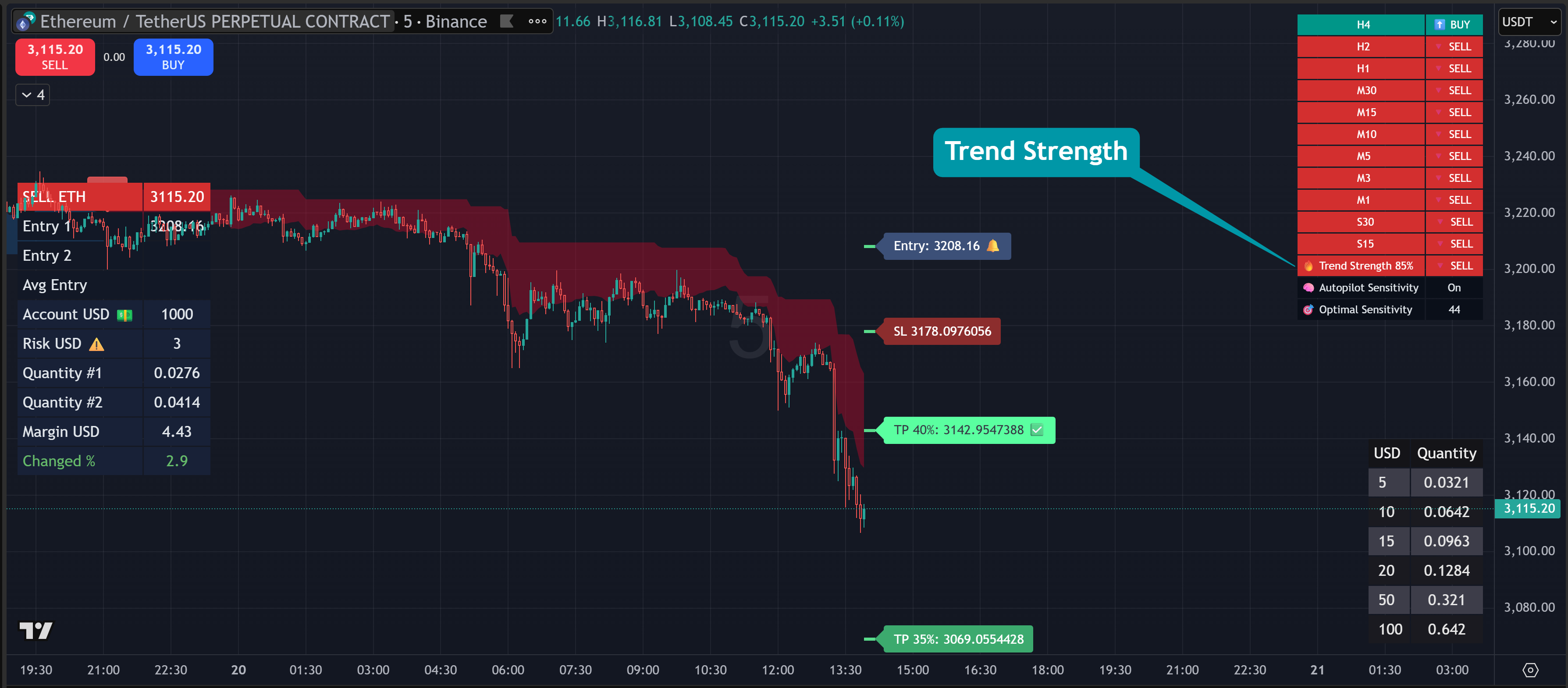
Trend Strength
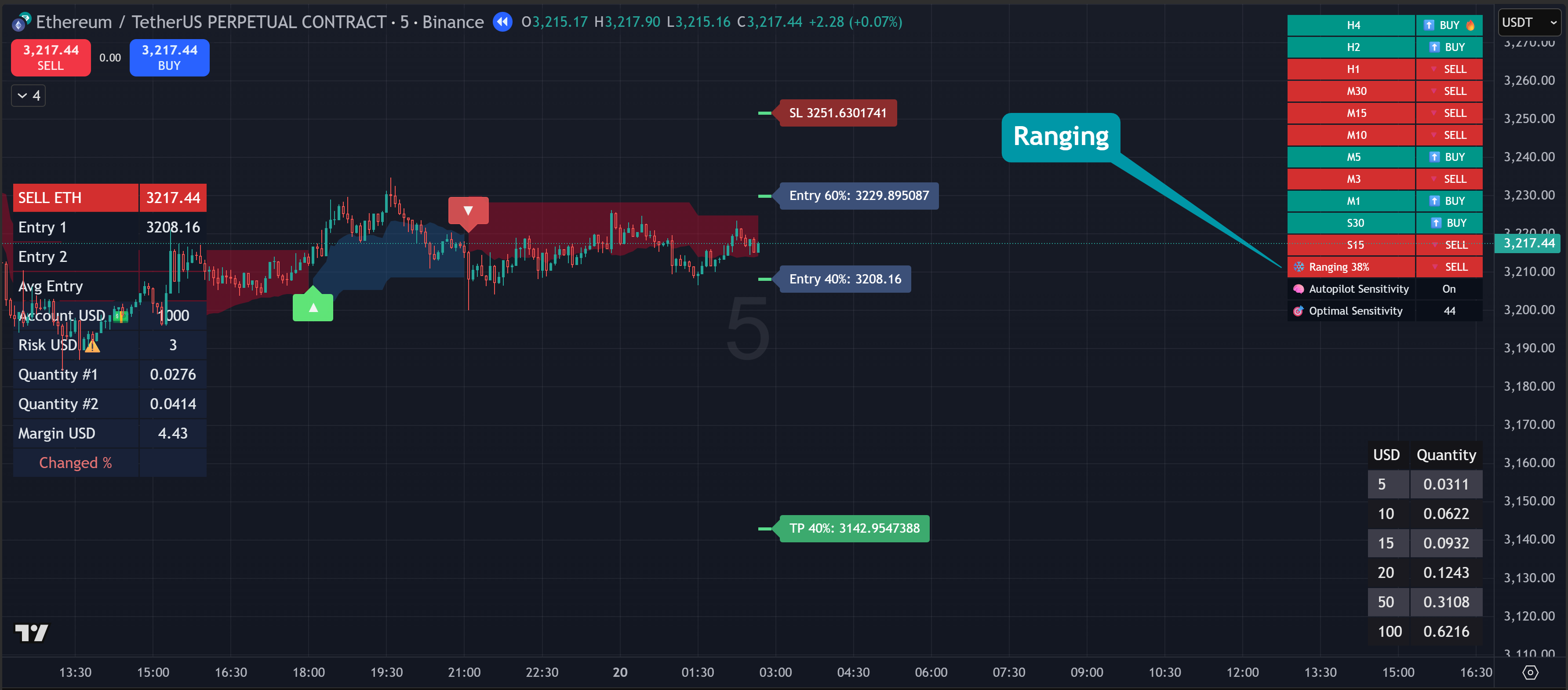
Ranging
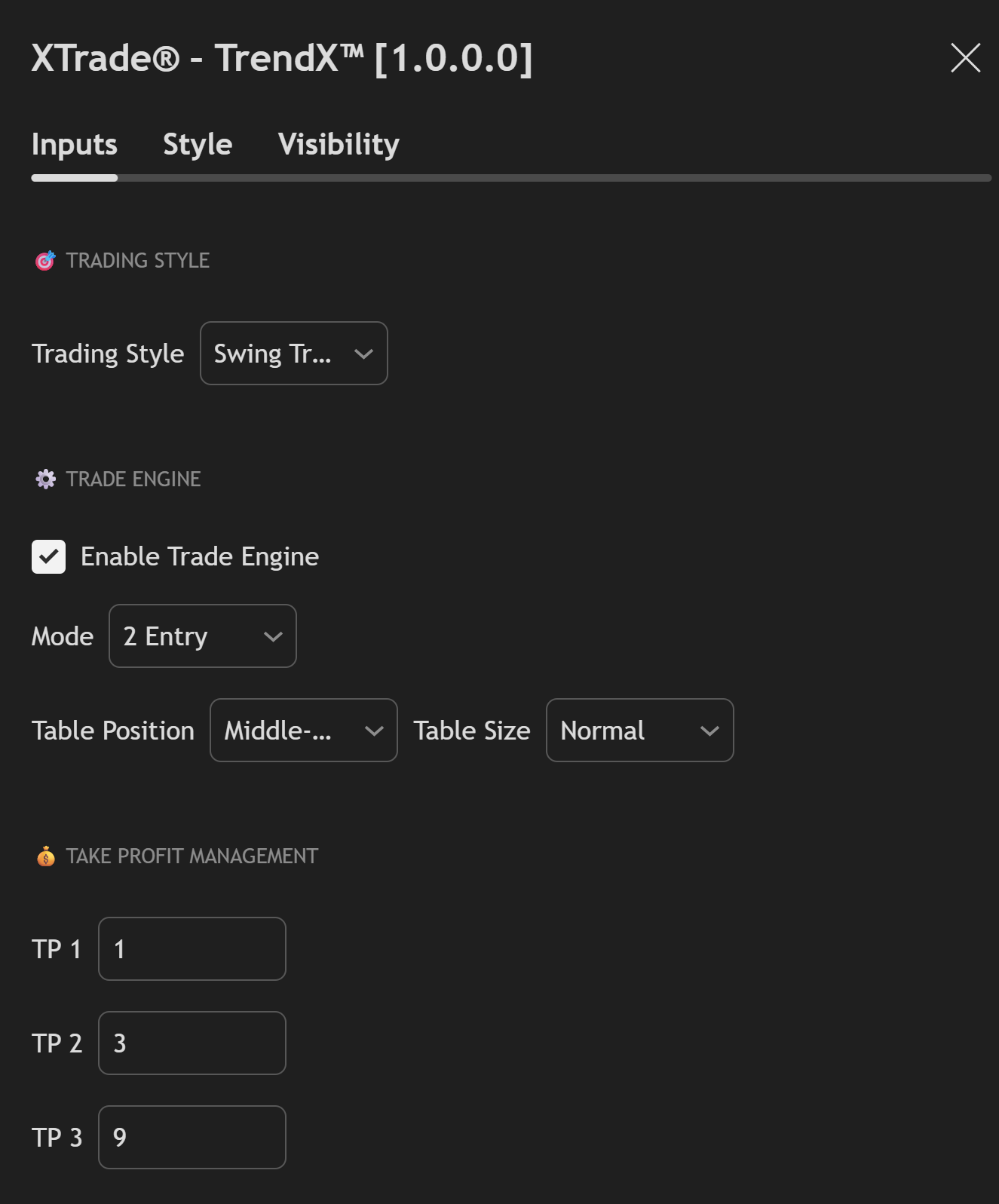
Trading Style Selector
✅ Choose between predefined trading behaviors (e.g. Swing Trading, Scalping, Intraday)
✅ Automatically adjusts internal trend logic and sensitivity
✅ No need to manually fine-tune complex parameters
✅ Avoid counter-trend and low-probability setups
✅ Beginner-friendly
✅ Professional logic under the hood
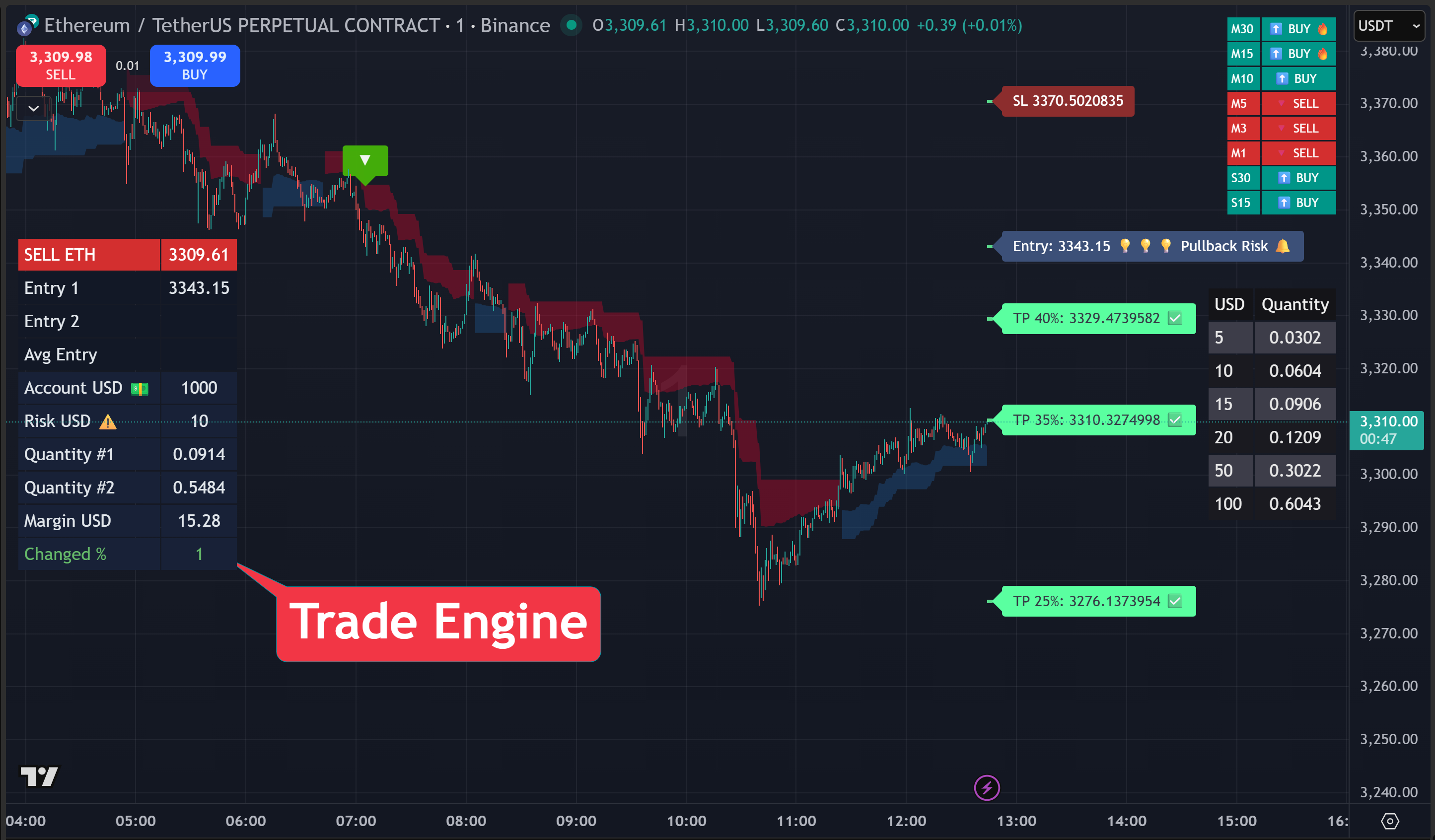
Enable Trade Engine
Mode
🚀 Trade Engine – Professional Risk Control
One of the biggest advantages of XTrade® Trade Engine is its risk-based position sizing
Every trade can have a different Stop Loss, and the system will automatically calculate a different position size — while keeping your risk perfectly controlled.
Fixed Risk, Dynamic Position Size
👉 Your risk stays constant. Only the size changes
Trade Like Professionals, Not Retail
Most retail traders ask: "How much should I buy or sell?". But Professional traders ask: "How much am I risking on this trade?"
Trade Engine enforces professional risk management automatically
Trade Table
TrendX™ supports multi-level Take Profit logic
Default Example
This structure is ideal for:
💡 Pro tip: Many profitable traders make most of their money from TP3 runners, not TP1
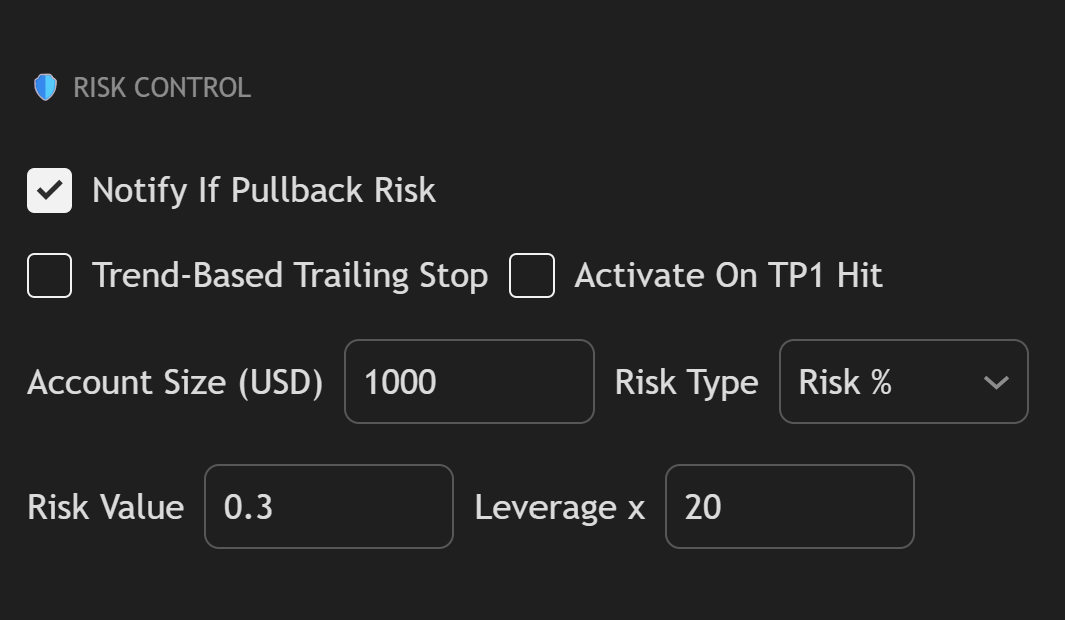
The Risk Control module in XTrade® – TrendX™ has been redesigned to give traders clearer risk awareness and more realistic position sizing—especially for leveraged markets
🔔 Notify If Pullback Risk
This feature helps traders avoid chasing price at dangerous zones
When enabled, TrendX™ will:
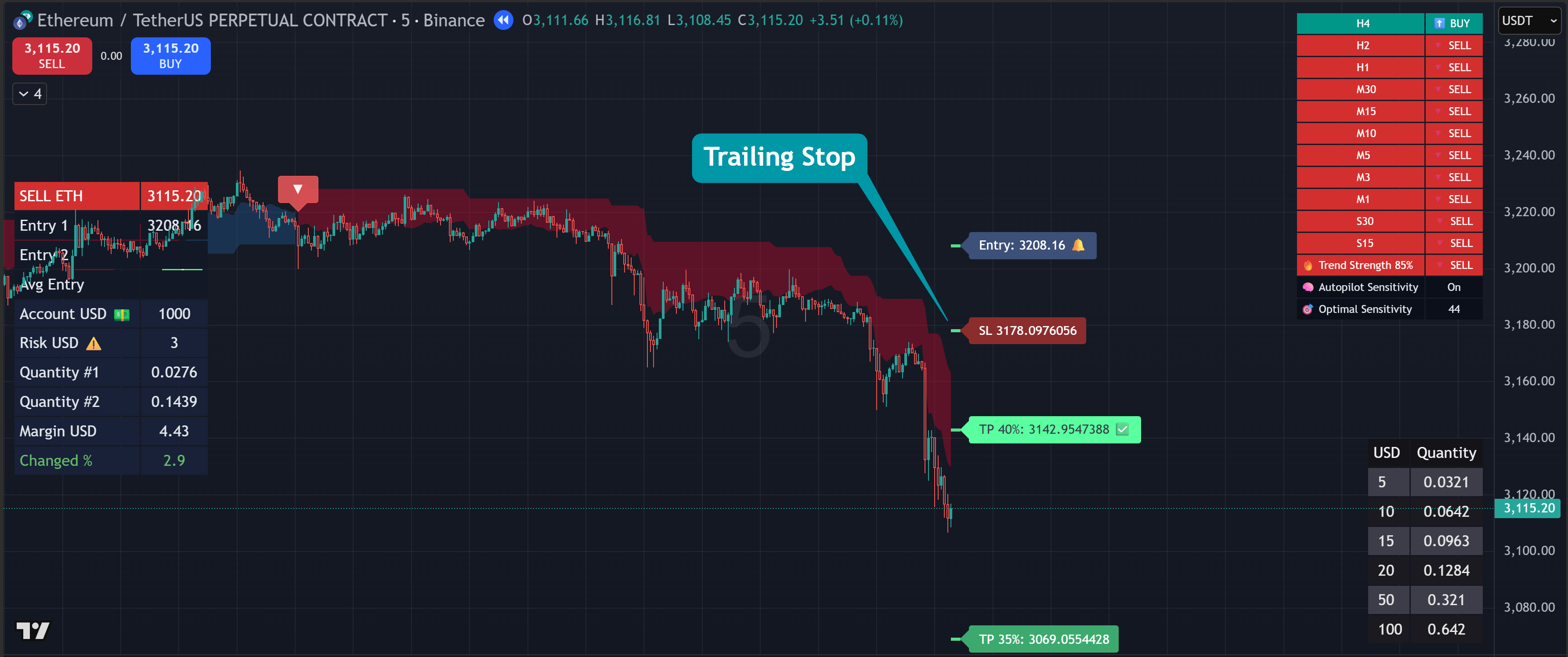
🔒 Trend-Based Trailing Stop
Trend-Based Trailing Stop locks in profit based on trend strength, not just price distance. Instead of using a fixed trailing percentage that can be easily stopped out by normal pullbacks, this system
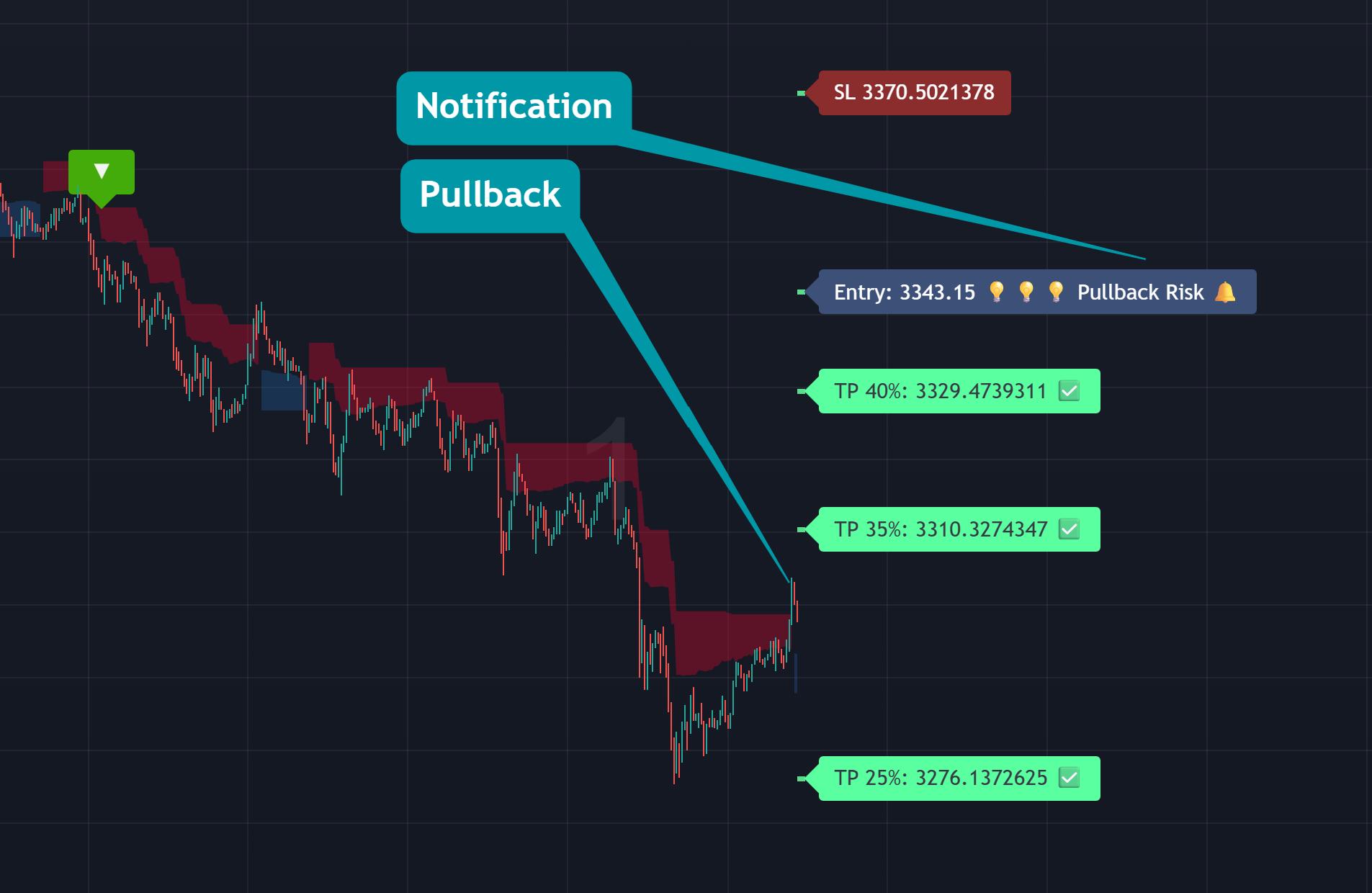
💡 Trend direction alone is not enough — timing matters
💼 Account Size (USD)
Define your total trading capital. This value is used as the base for all risk calculations
Example: Account Size = $1,000
This ensures all risk metrics and alerts are aligned with your real account scale.
⚖️ Risk Type
Choose how you want to define risk per trade:
Recommended for consistency: Risk %
📉 Risk Value
The amount of risk you are willing to take per trade.
If Risk Type = Risk %
Example
This value is used by TrendX™ to evaluate whether a setup is risk-appropriate, especially during pullbacks or volatile conditions
🚀 Leverage (x)
Set the leverage you are using on your exchange (e.g., Futures)
Important:
TrendX™ uses leverage contextually to:
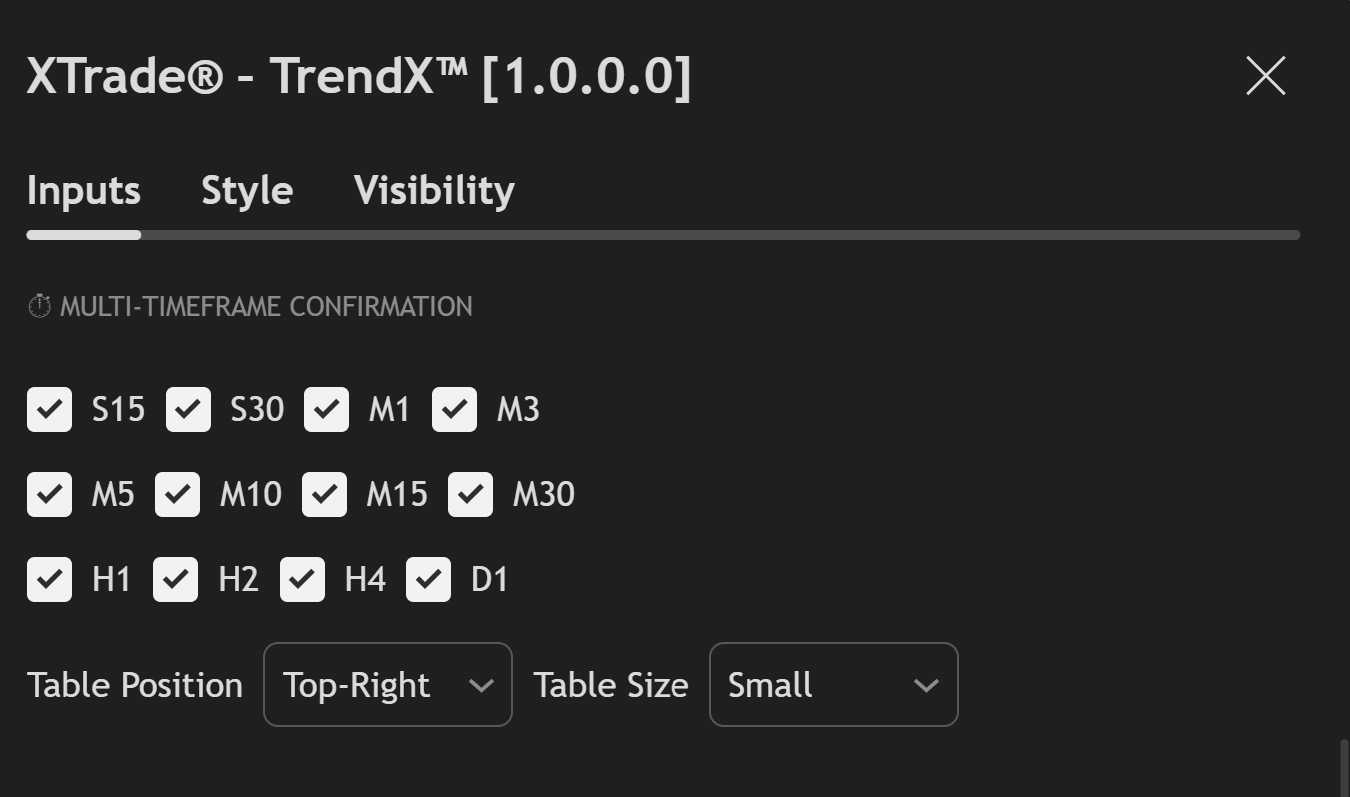
TrendX™ provides a multi-timeframe visual overview designed for fast market context — not a multi-timeframe signal confirmation system.
The timeframe table allows traders to quickly observe trend conditions across different timeframes without switching charts or applying multiple indicators.
Supported Timeframes (Visual Overview Only)
✅ Seconds
✅ Minutes
✅ Higher Timeframes
🧠 How Traders Use This View
This design helps traders stay aligned with the bigger picture while keeping full control over their own decision-making process.
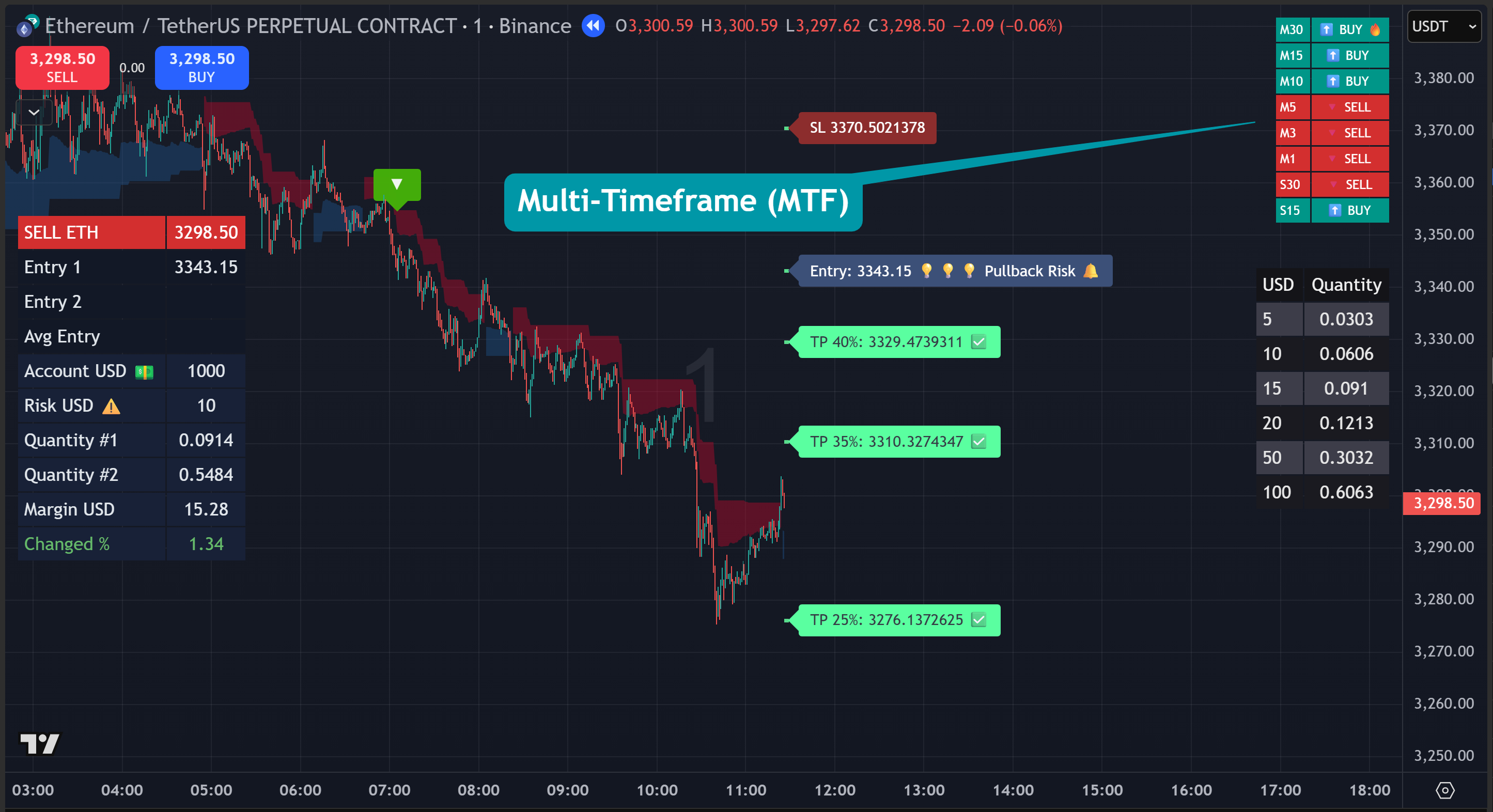
TimeFrame Table
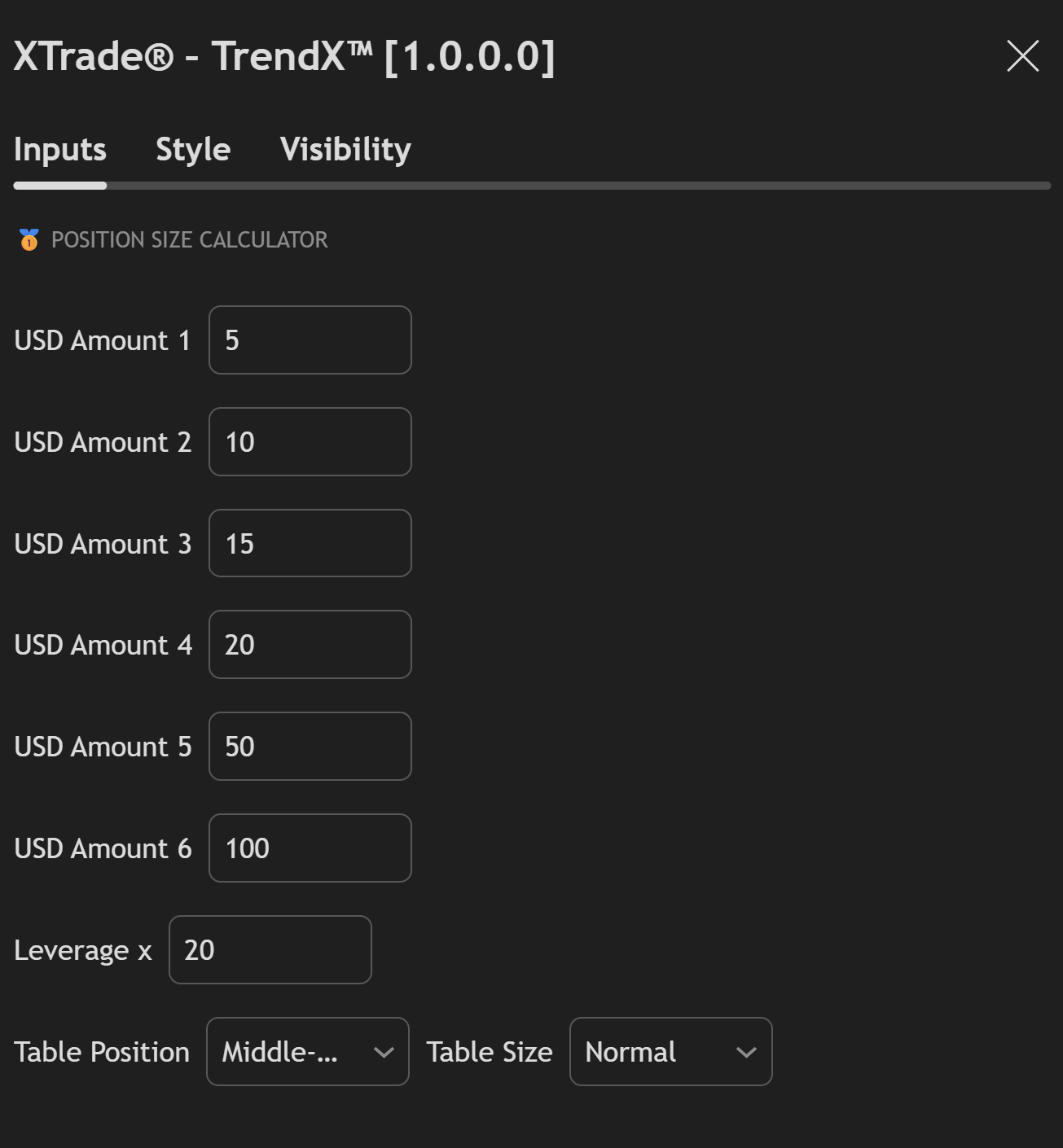
XTrade® – TrendX™ includes a built-in Position Size Calculator directly on the chart, allowing you to calculate accurate order quantities in real time — without leaving TradingView
💵 Preset USD Amounts
Pre-define multiple capital levels for instant sizing
✔ Ideal for small & large accounts
✔ Perfect for scalping, intraday, and swing trading
✔ One-click position sizing
Set your futures leverage directly inside the indicator
Example:
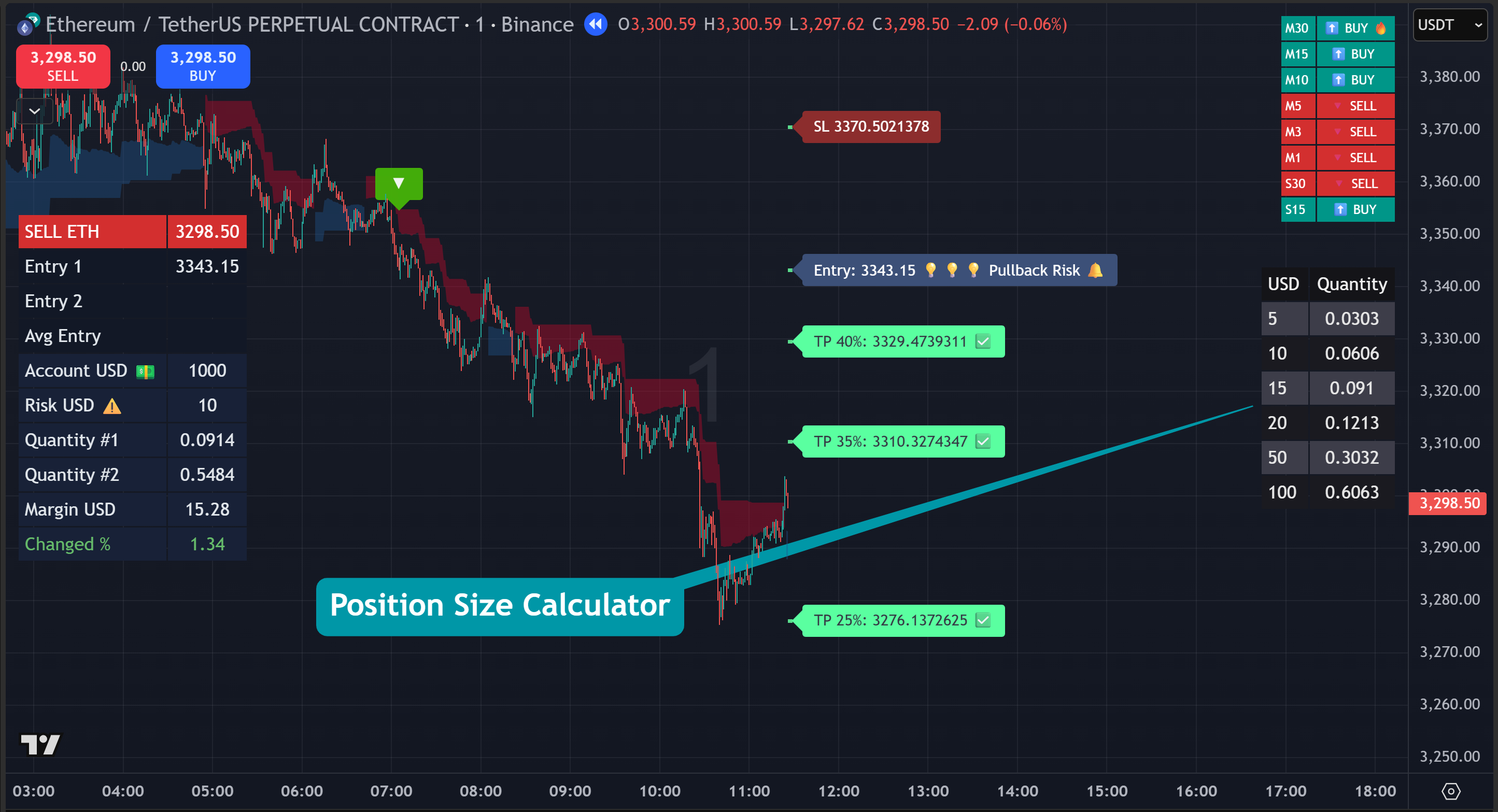
Calculator Table
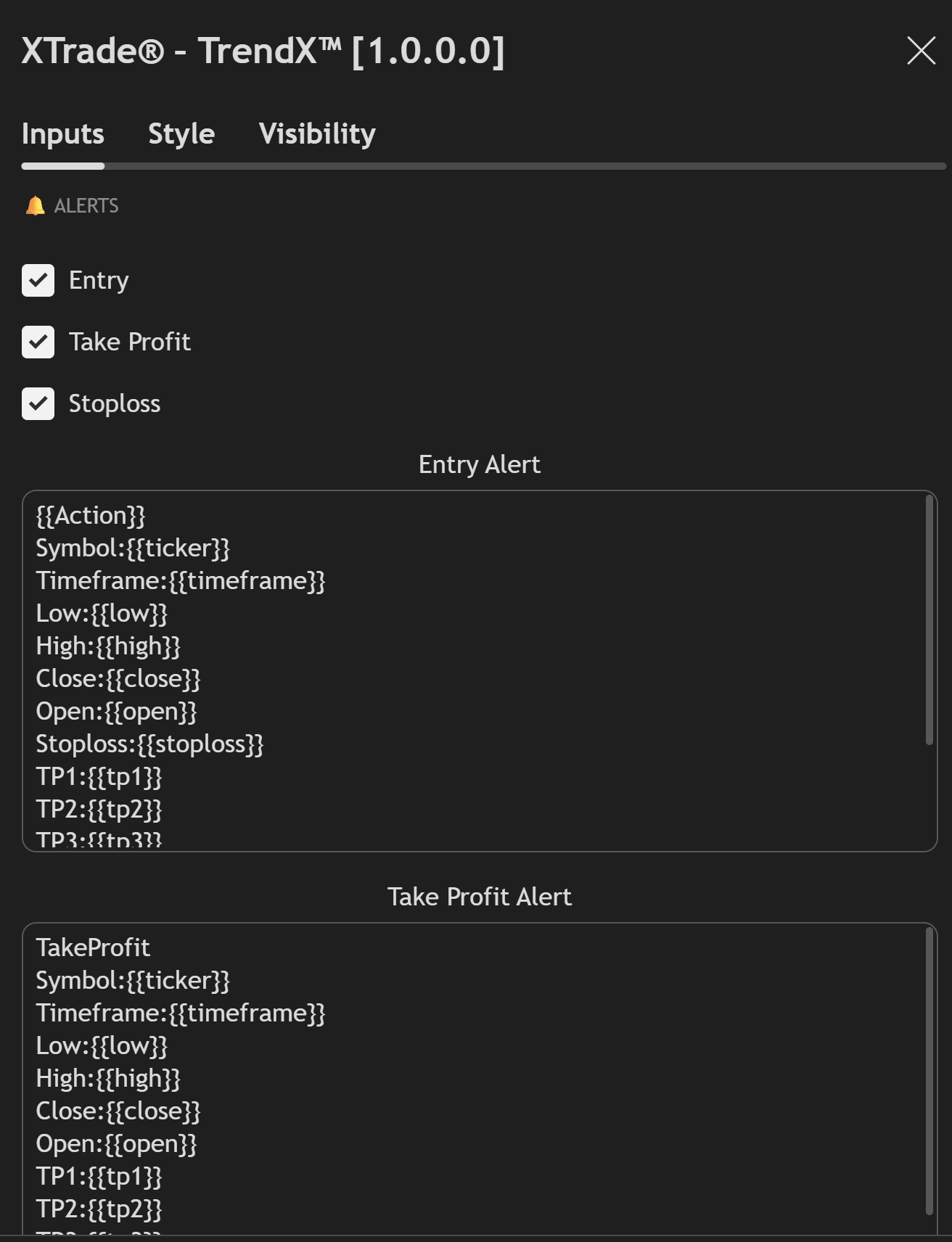
Fully Customizable. Automation-Ready
XTrade® – TrendX™ comes with a complete alert framework designed for manual traders, signal traders, and automated execution systems.
✅ Alert Types
Enable only the alerts you need:
🤖 Automation Ready (Webhook Friendly)
TrendX™ alerts are built to integrate with:
No extra scripts required
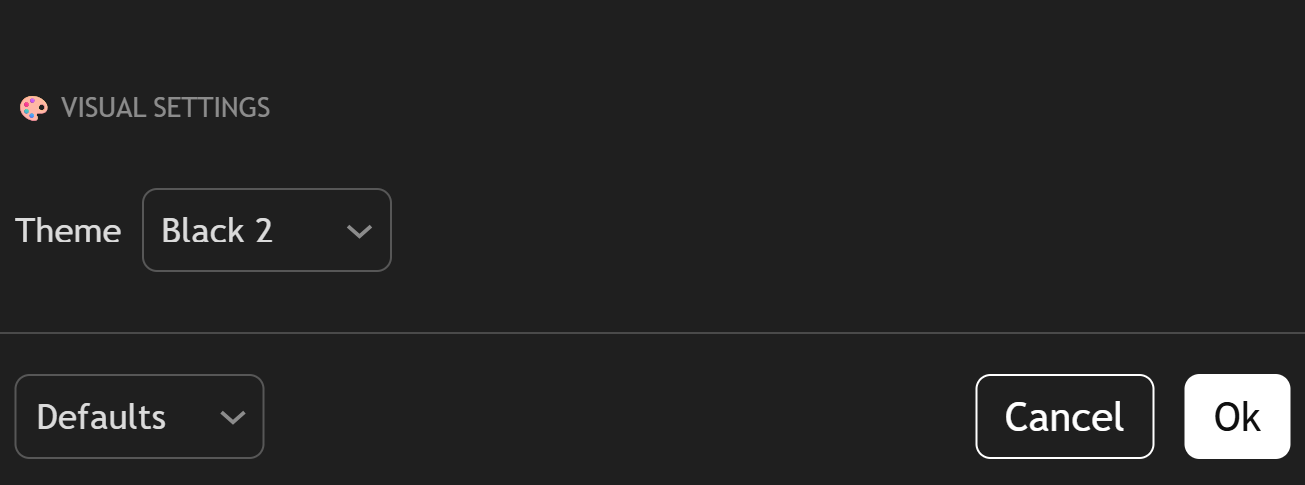
XTrade® – TrendX™ offers flexible visual themes so you can trade in an environment that matches your workflow, lighting, and screen time
🌗 Theme Options
Choose the theme that best fits your trading style:
🤍 White
Best for:
🌑 Black 1 & 2
Best for: